# Event calendar
As a superadmin and admin, you can update, create, and delete your school's event calendar. For this, you have to follow the step:
- Log in to the user panel.
- Go to the "Academic" option from the left menu.
- Select the "Event calendar" option from the sub-menu.
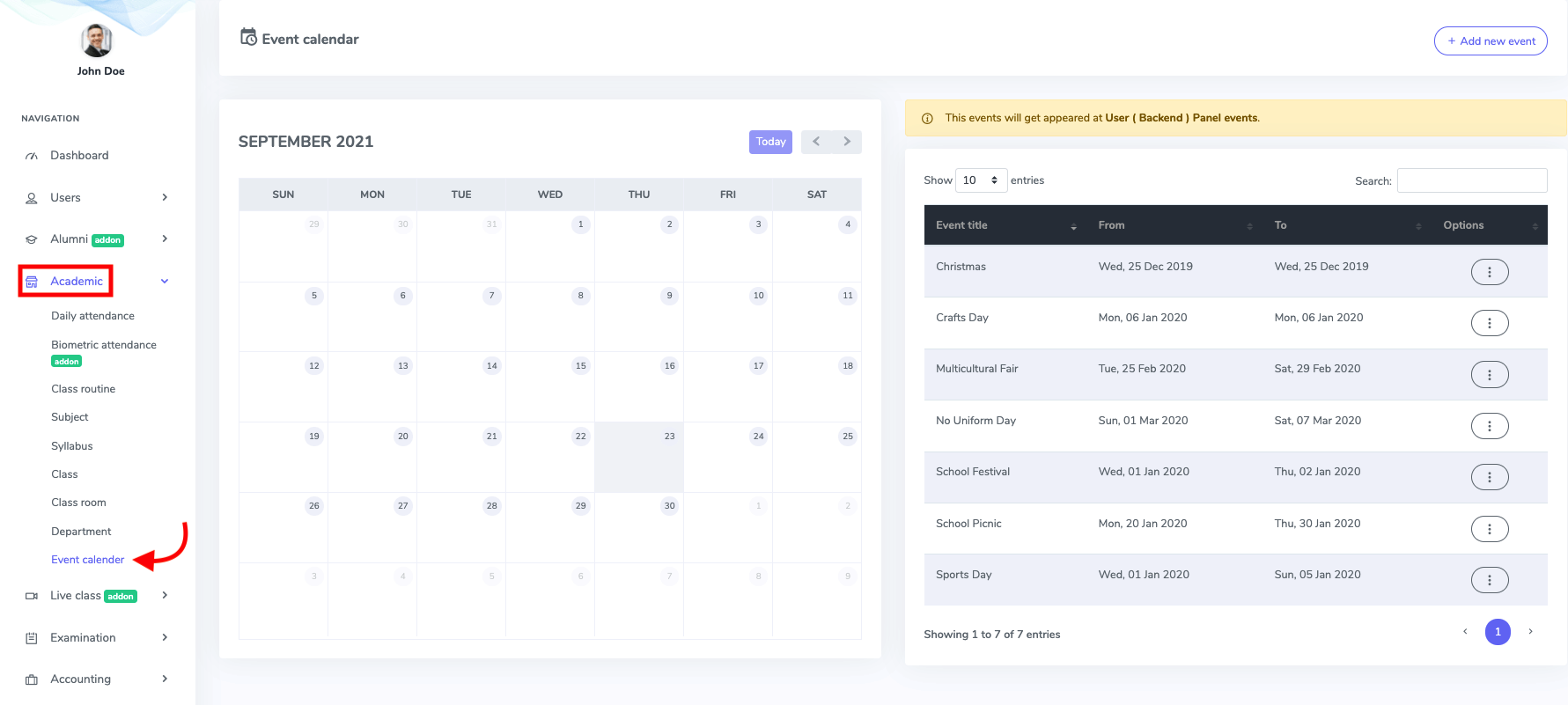
Figure 1. Ekattor ERP Event Calender
To create a new event to your academic calendar, select the "Add new event" button.
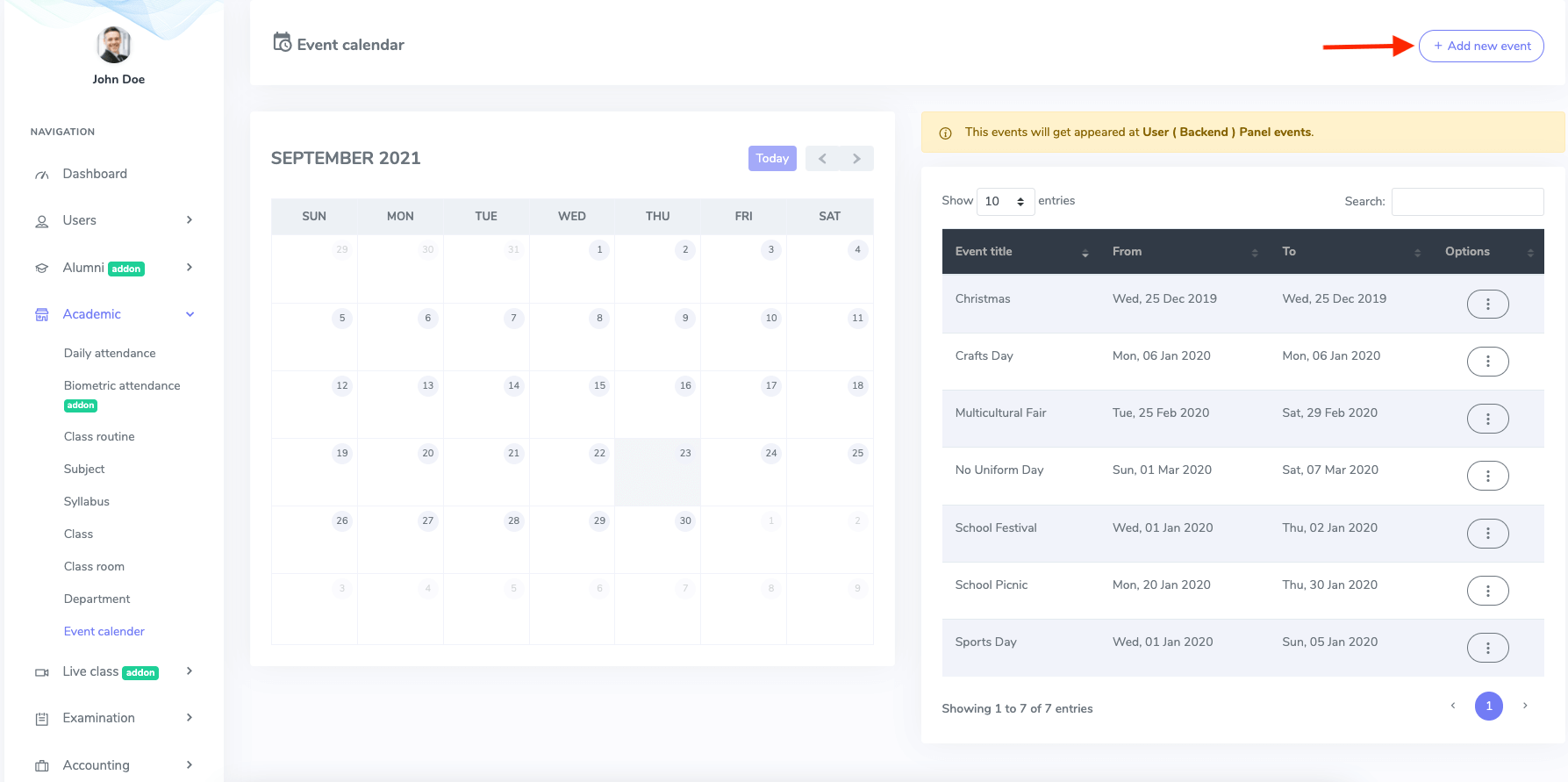
Figure 2. Ekattor ERP Adding Event
In this new form, you have to add:
- Event title
- Event starting date
- Ending date
Select the "Save event" for confirmation.
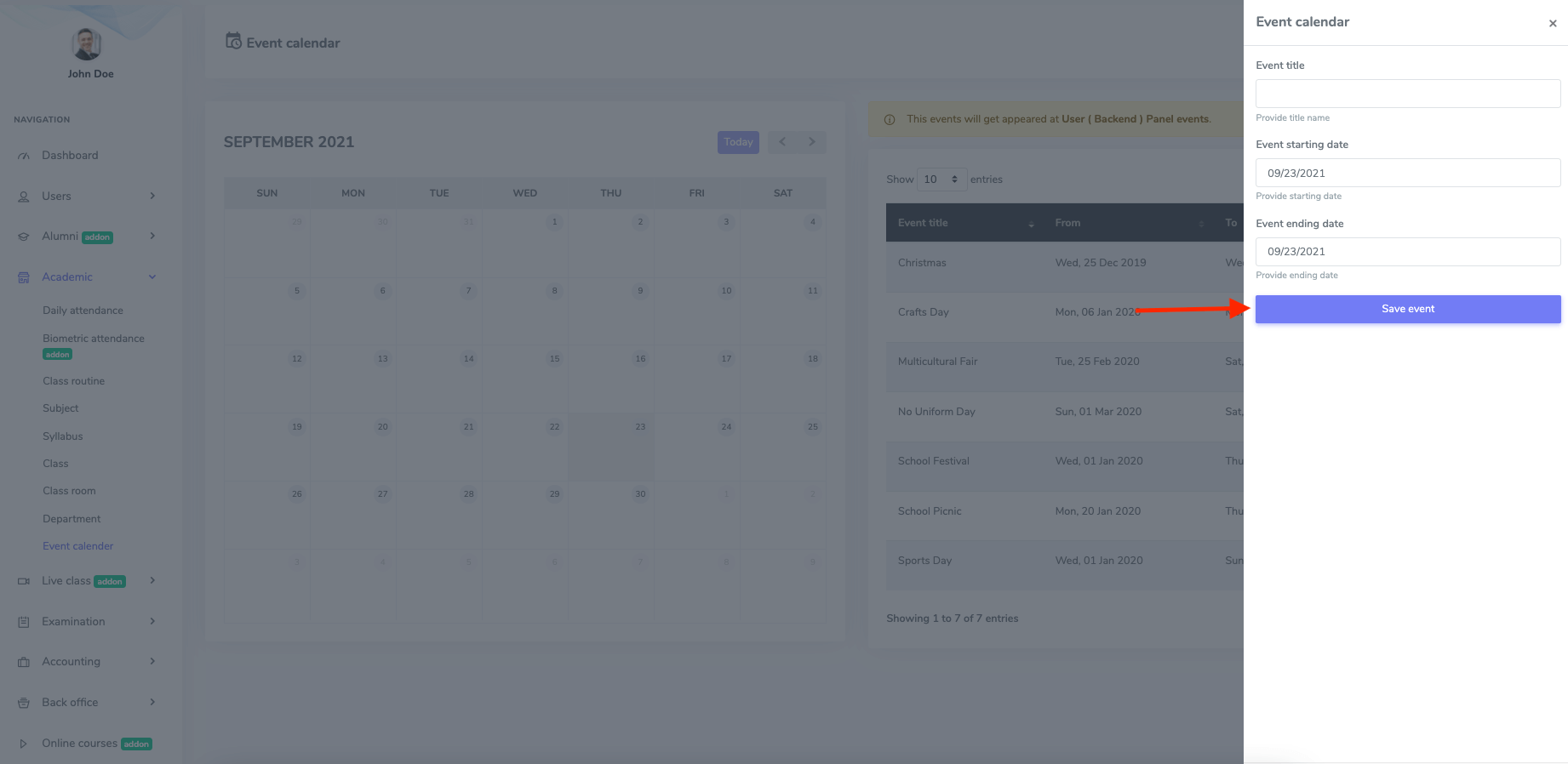
Figure 3. Ekattor ERP Saving New Event
In Ekattor, you can modify the event calendar. For this, you have to follow the steps:
- Select the"Edit" button from the "Option."
- Update required information.
Click the "Update event" option to save the data.
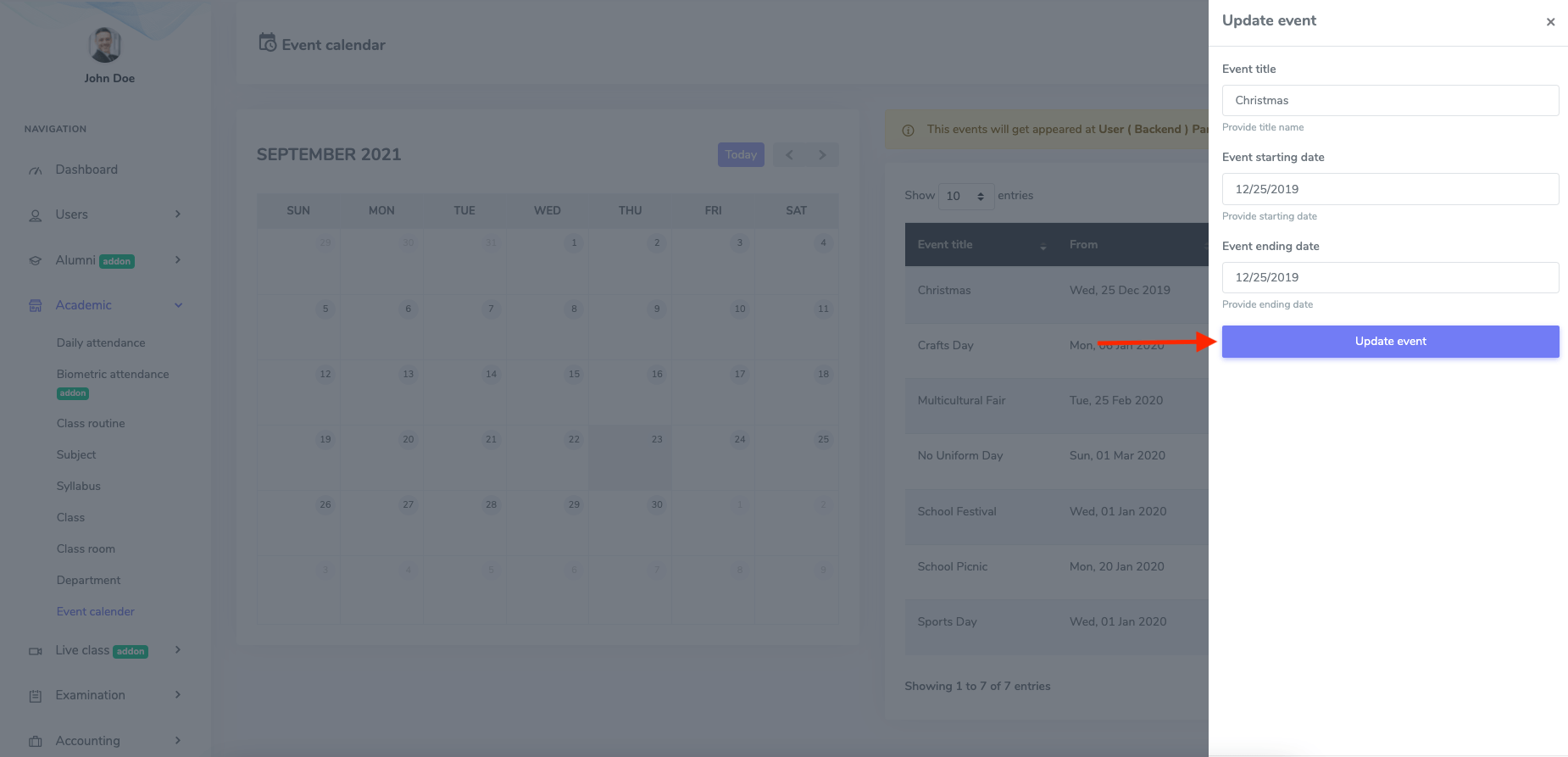
Figure 4. Ekattor ERP Updating Event
Select the "Delete" button from the "Option" to remove an event from the calendar. Now, select the "Continue" button to complete your action.