# Exam
You have the authority to monitor can control the exam in a school. For this, you have to navigate:
- Log in to the admin panel.
- Go to the "Examination" option from the left menu.
- Select the "Exam" option from the sub menu.
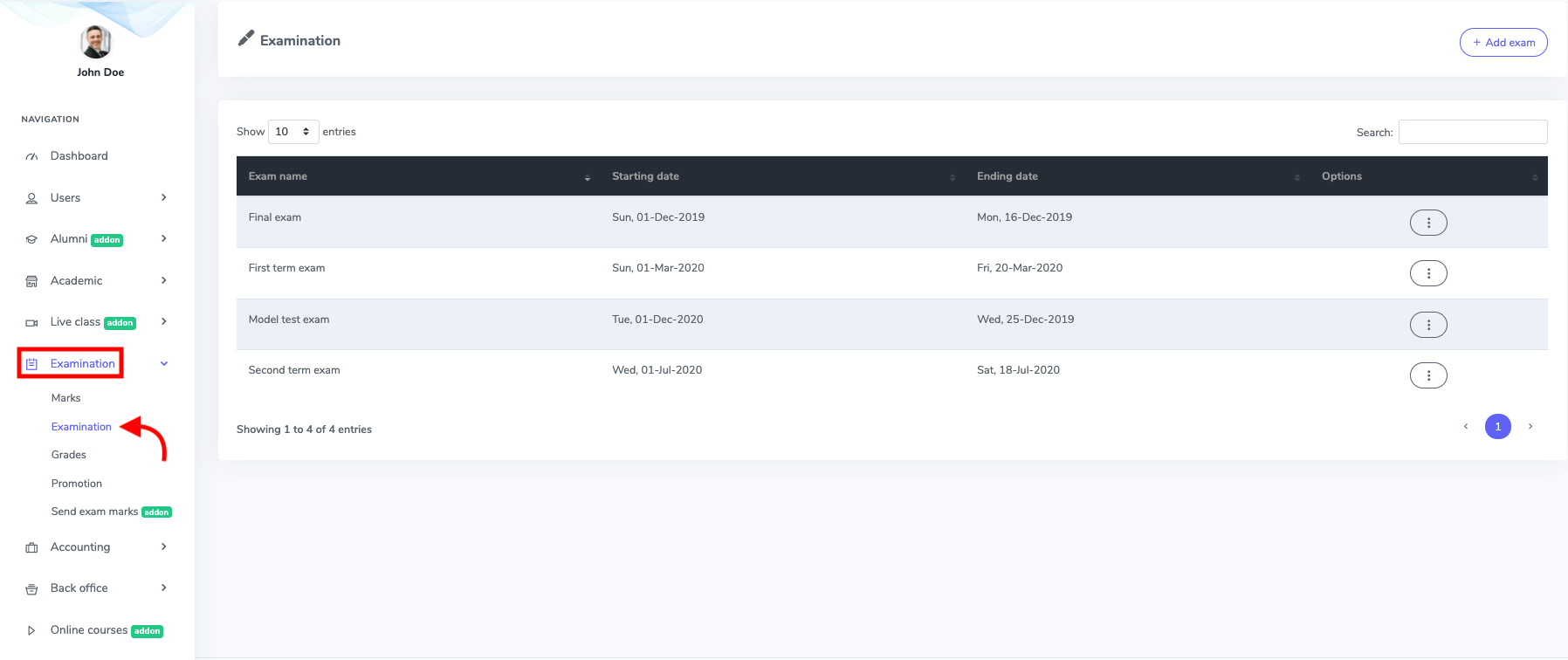
Figure 1. Ekattor ERP Exam List
Here, you can create, edit, and remove an exam from the application. To create a new exam, you have to click the "Add exam" button.
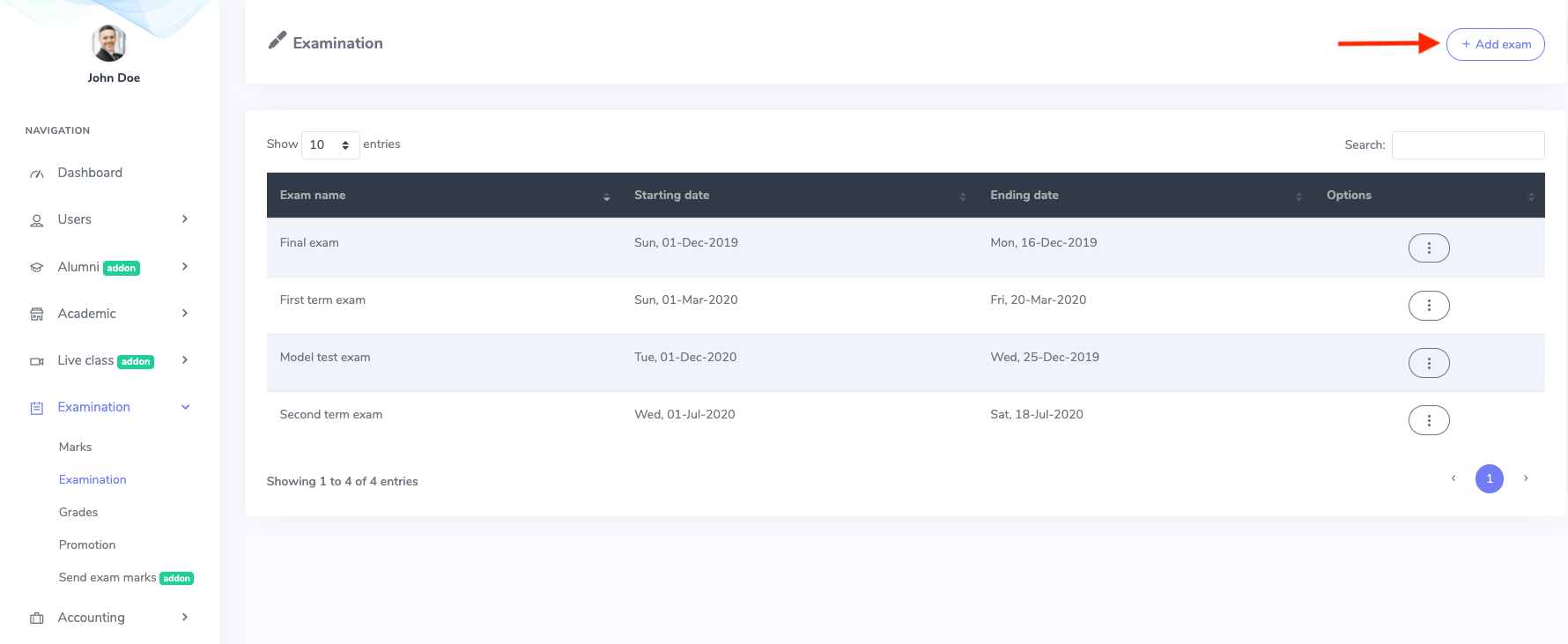
Figure 2. Ekattor ERP Adding New Exam
After opening a new form, you have to provide:
- Exam name
- Exam starting date
- Ending date
Now click on the "Create exam" button to complete your command.
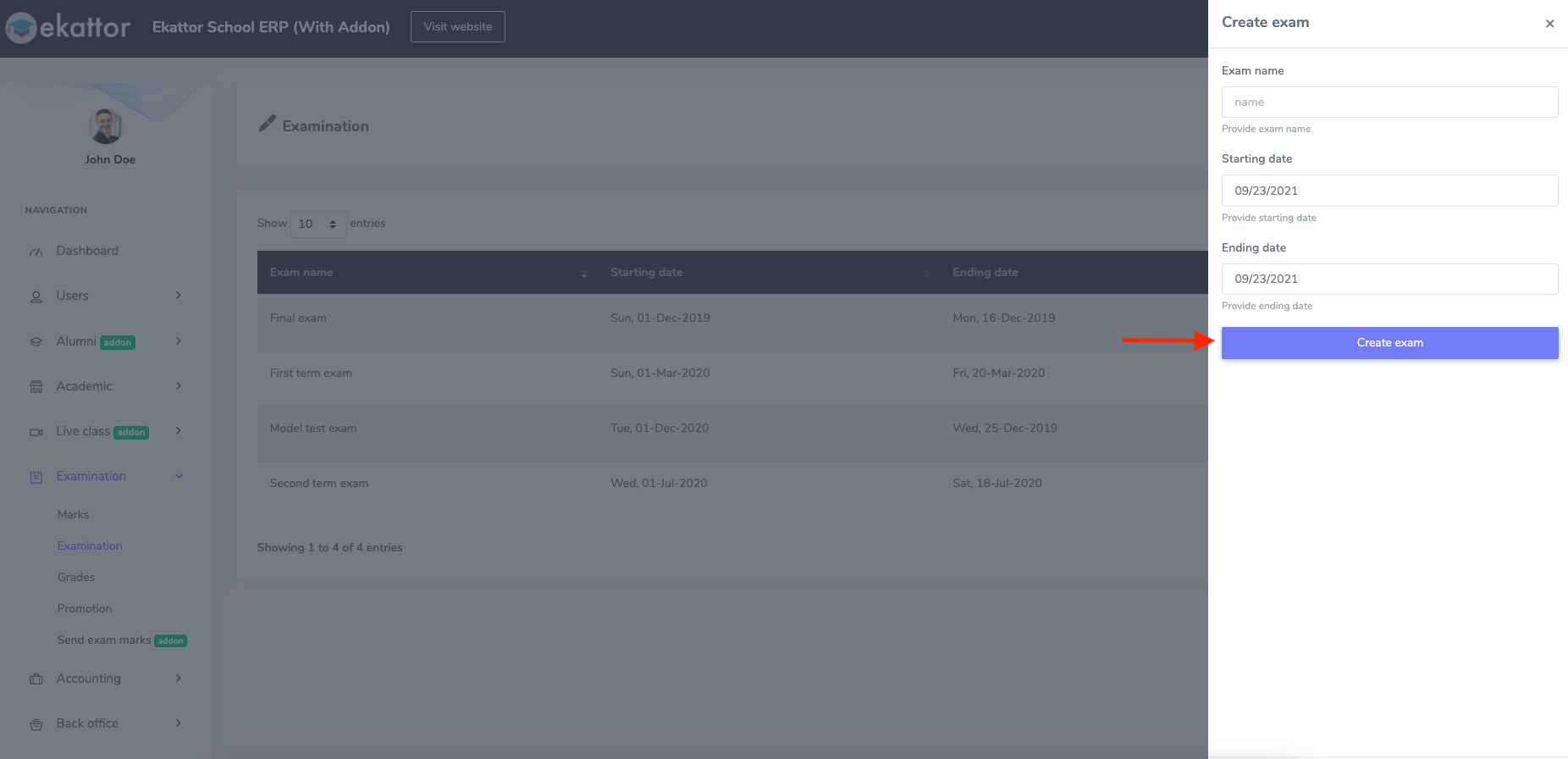
Figure 3. Ekattor ERP Saving New Exam's Information
To modify and update the exam, you have to:
- Select the "Edit" button from the "Option."
- Update the information.
To finalize your updated information, click on the "Update exam" option.
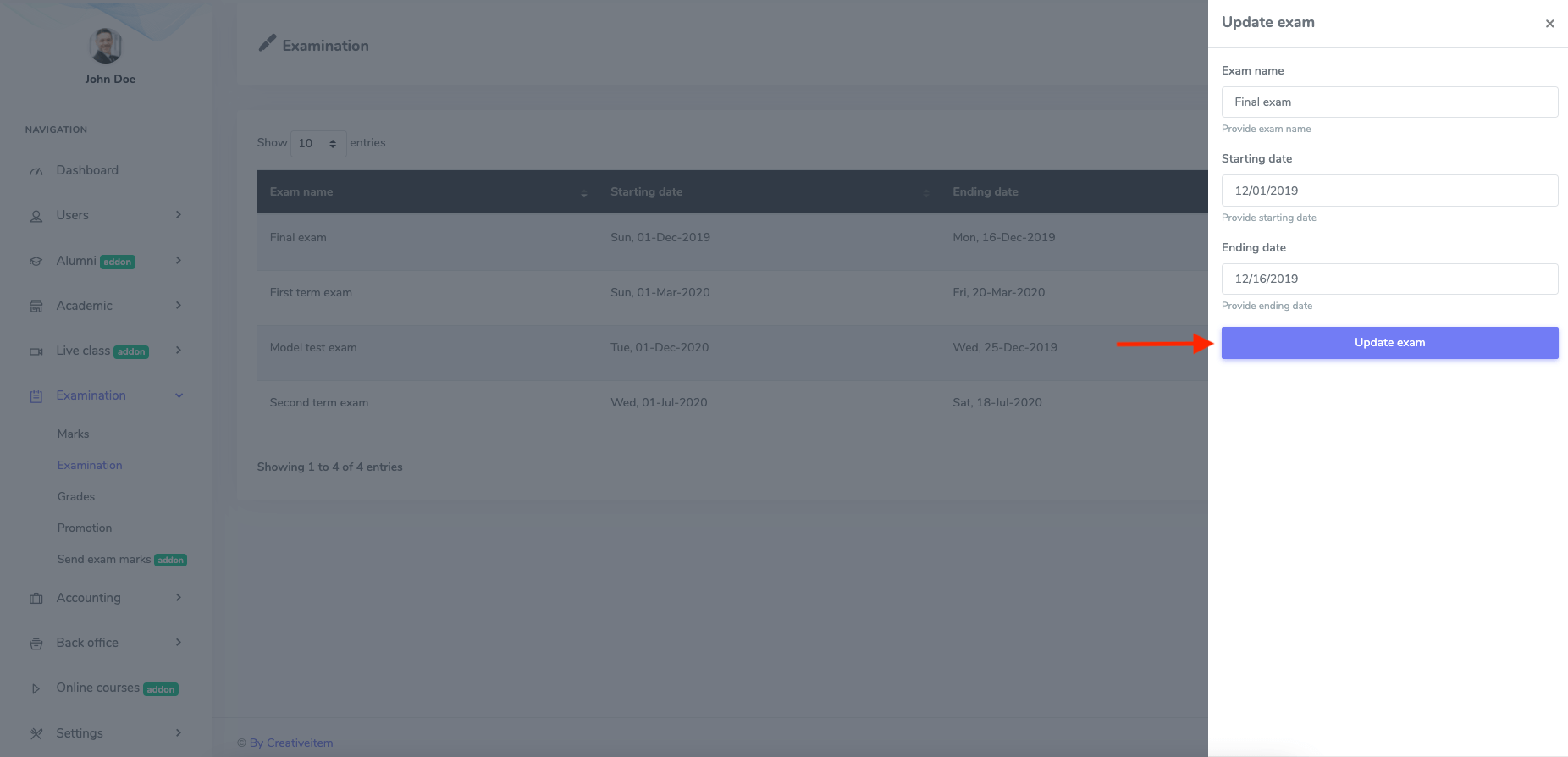
Figure 4. Ekattor ERP Updating Exam
You have to select the "Delete" button from the "Option" to remove an exam and then select the "Continue" button to complete your process.