# Managing accountant
In Ekattor, an accountant gets permission for financial activities about the school. But to control the accountant panel, superadmin and admin have the authority. Now you have to navigate:
- Log in to the user panel.
- Select the "User" option from the left menu.
- Choose the "Accountant" option from the sub-menu.
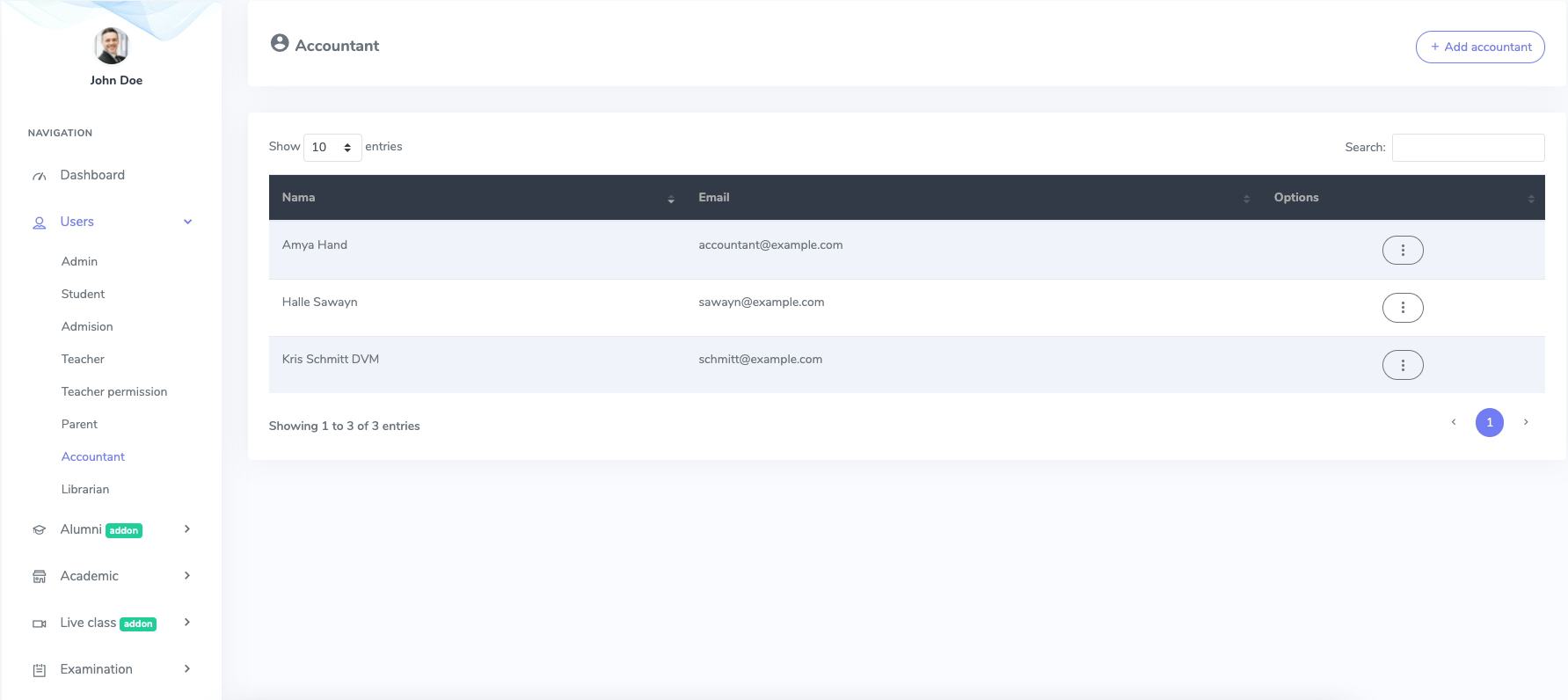
Figure 1. Ekattor ERP Accountant List
After opening the list, you can add, modify and delete the accountant from the application.
Select the "Add accountant" button to add a new accountant.
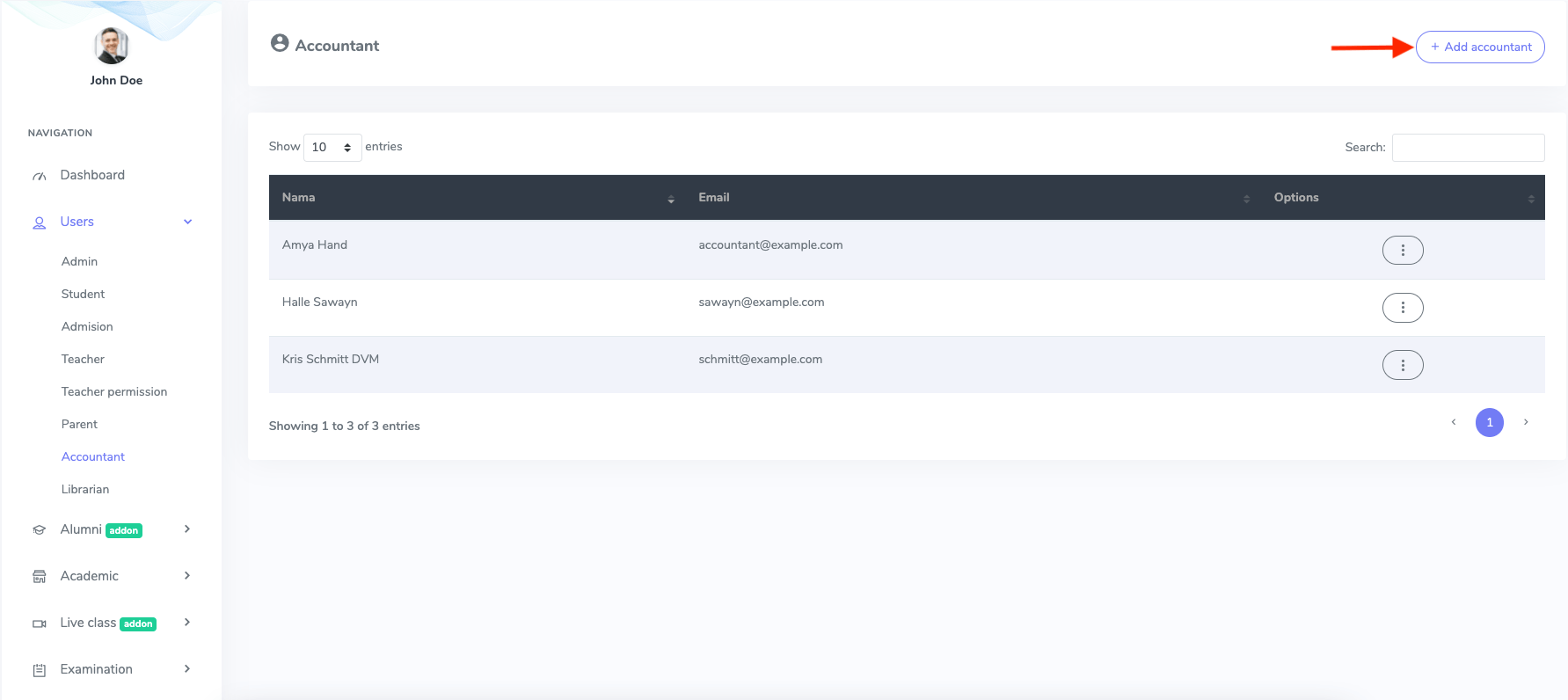
Figure 2. Ekattor ERP Adding New Accountant
In this new form, you have to provide:
- Accountant's name
- Password
- Phone number
- Gender
- Blood group
- Address
After that, select the "Create account" button to save your data.
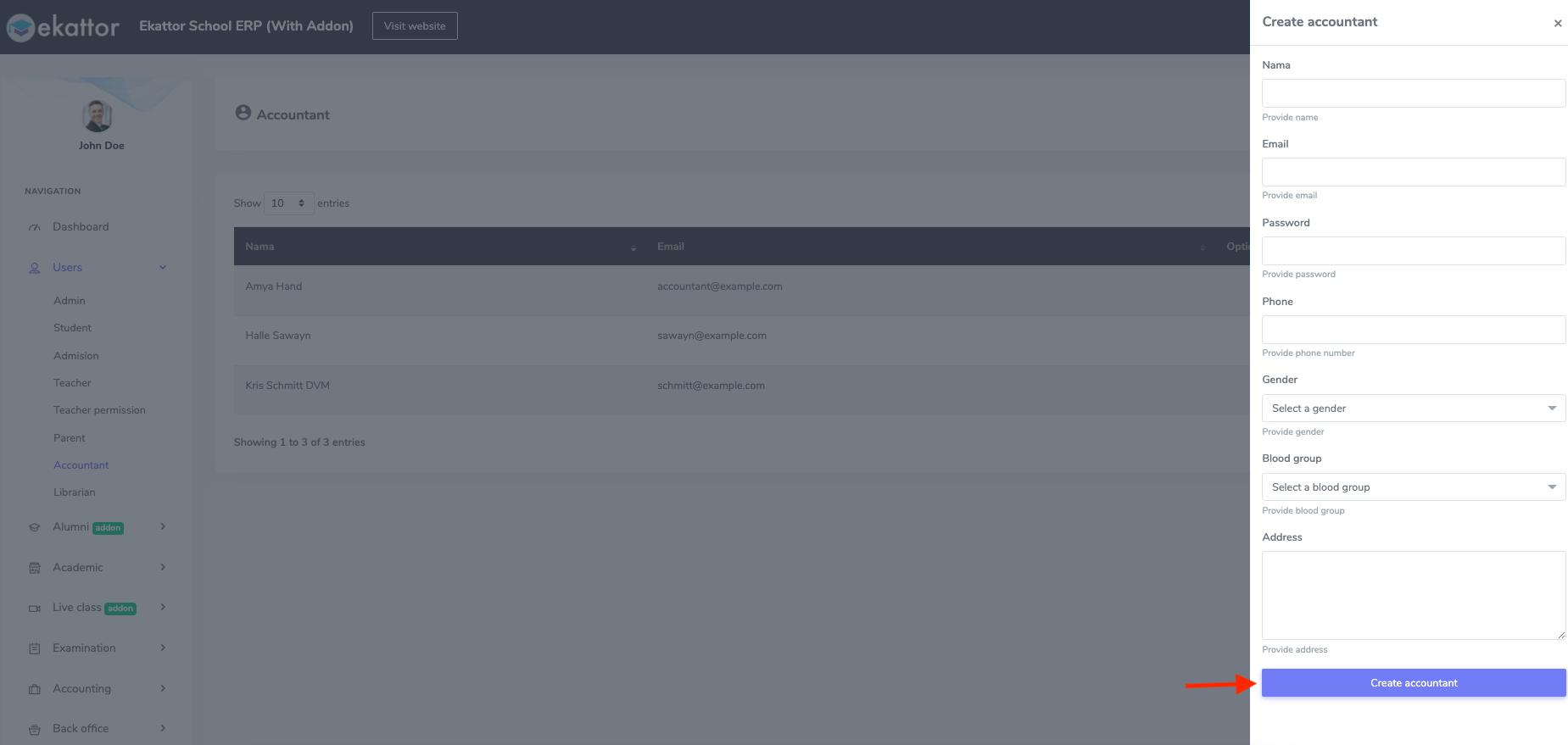
Figure 3. Ekattor ERP Saving New Accountant's Information
To update the information about the accountant, you have to navigate:
- Select the "Option" button from the accountant list.
- Choose the "Edit" button.
- Change the required information.
- Select the "Update accountant" option for confirmation.
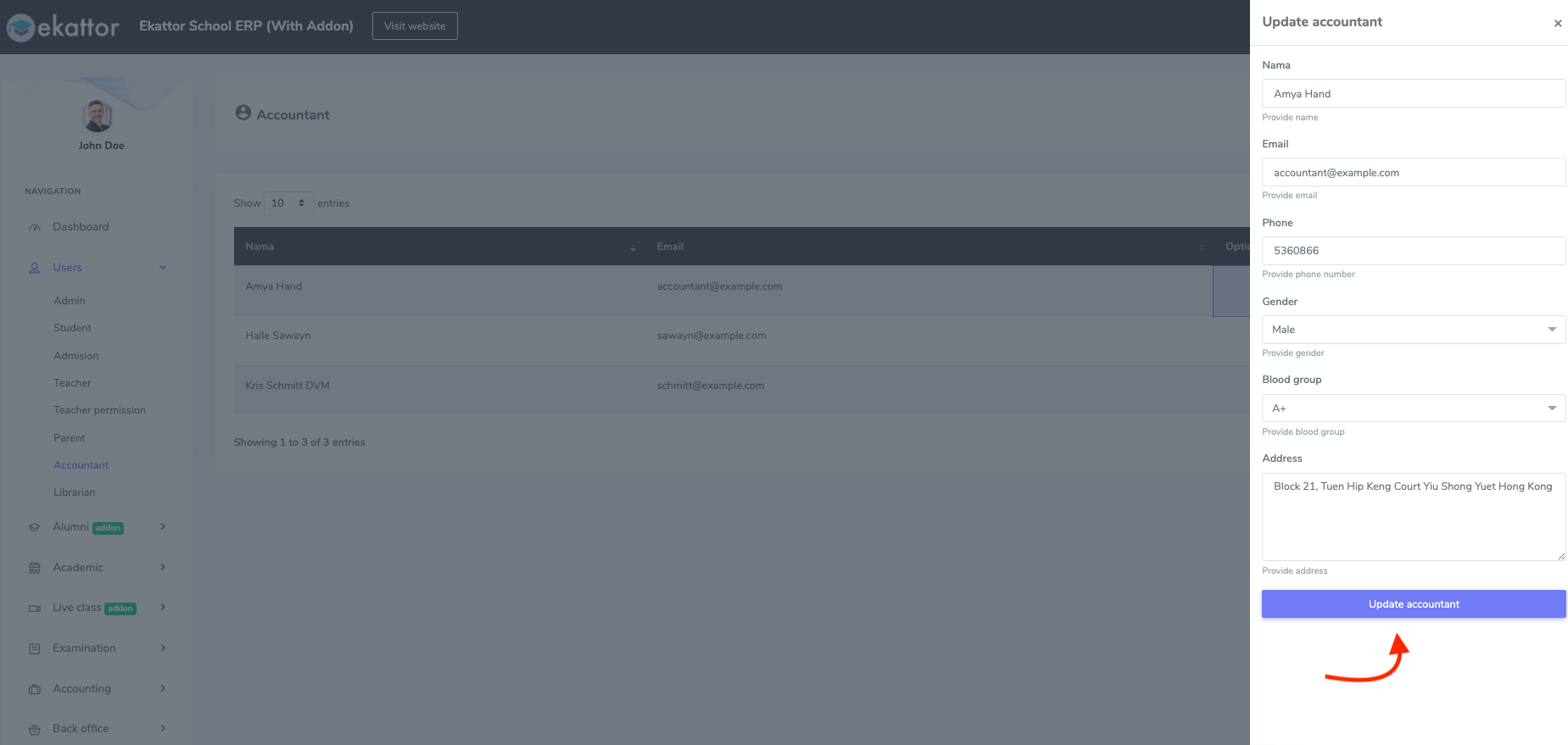
Figure 4. Ekattor ERP Updating Accountant's Information
To remove an accountant, you have to choose the "Delete" button from the "Option" and select the "Continue" button for confirmation.