# How to create academic fees
In Ekattor, you can create academic fees for your school. Also, you can monitor and control every transaction from this panel. For this, you have to navigate:
- Log in to the user panel.
- Select the "Accounting" option from the left menu.
- Choose the "Student fee manager" option from the sub-menu.
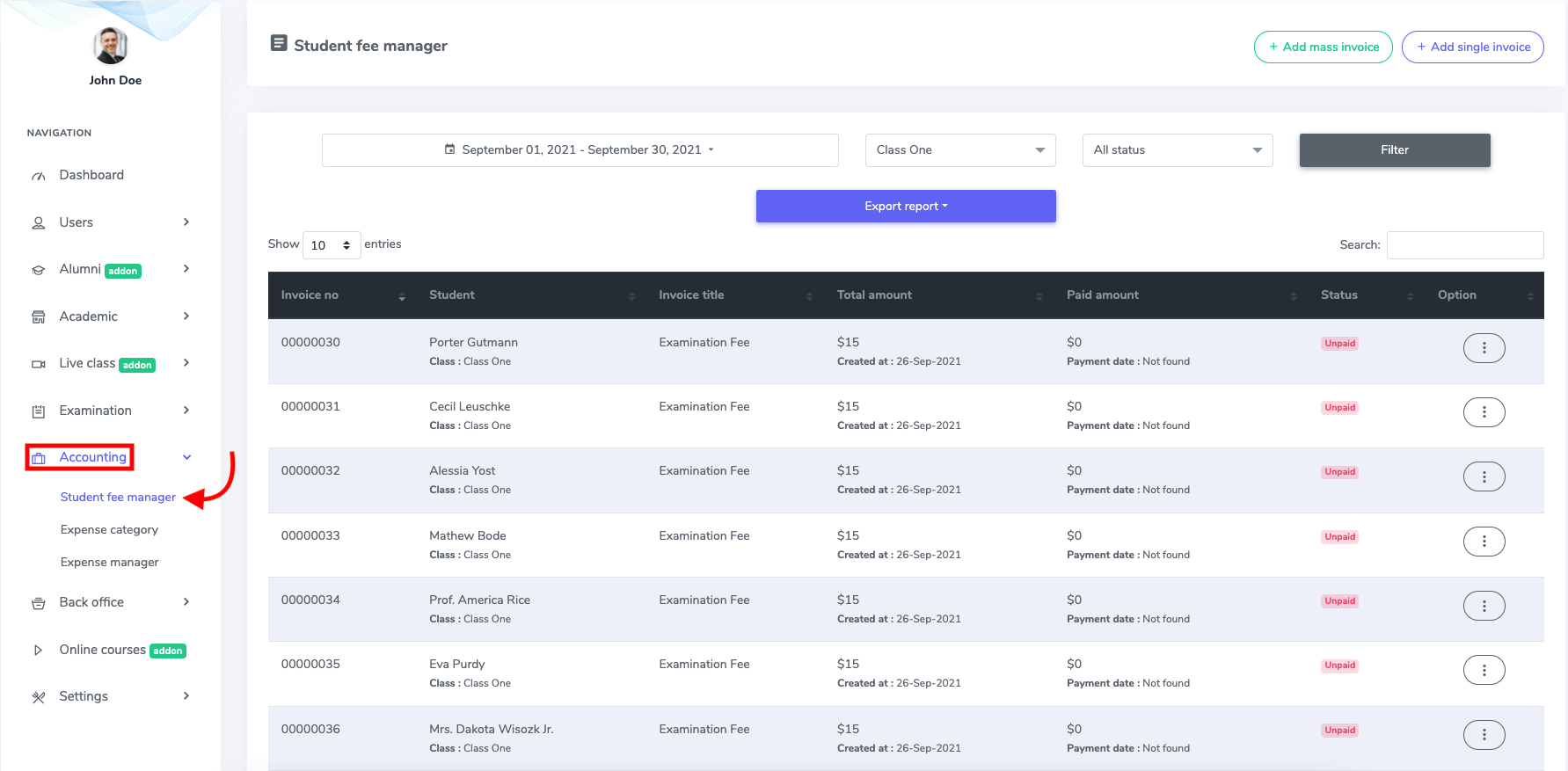
Figure 1. Ekattor ERP Academic Fee History
In this panel, you can add academic fees in two ways.
- Massive invoice
- Single invoice
Mass invoice
In the mass invoice, you can make fees for a session, class, or a section at a time. To create massive fees for your school, you have to click the "Add mass invoice" button.
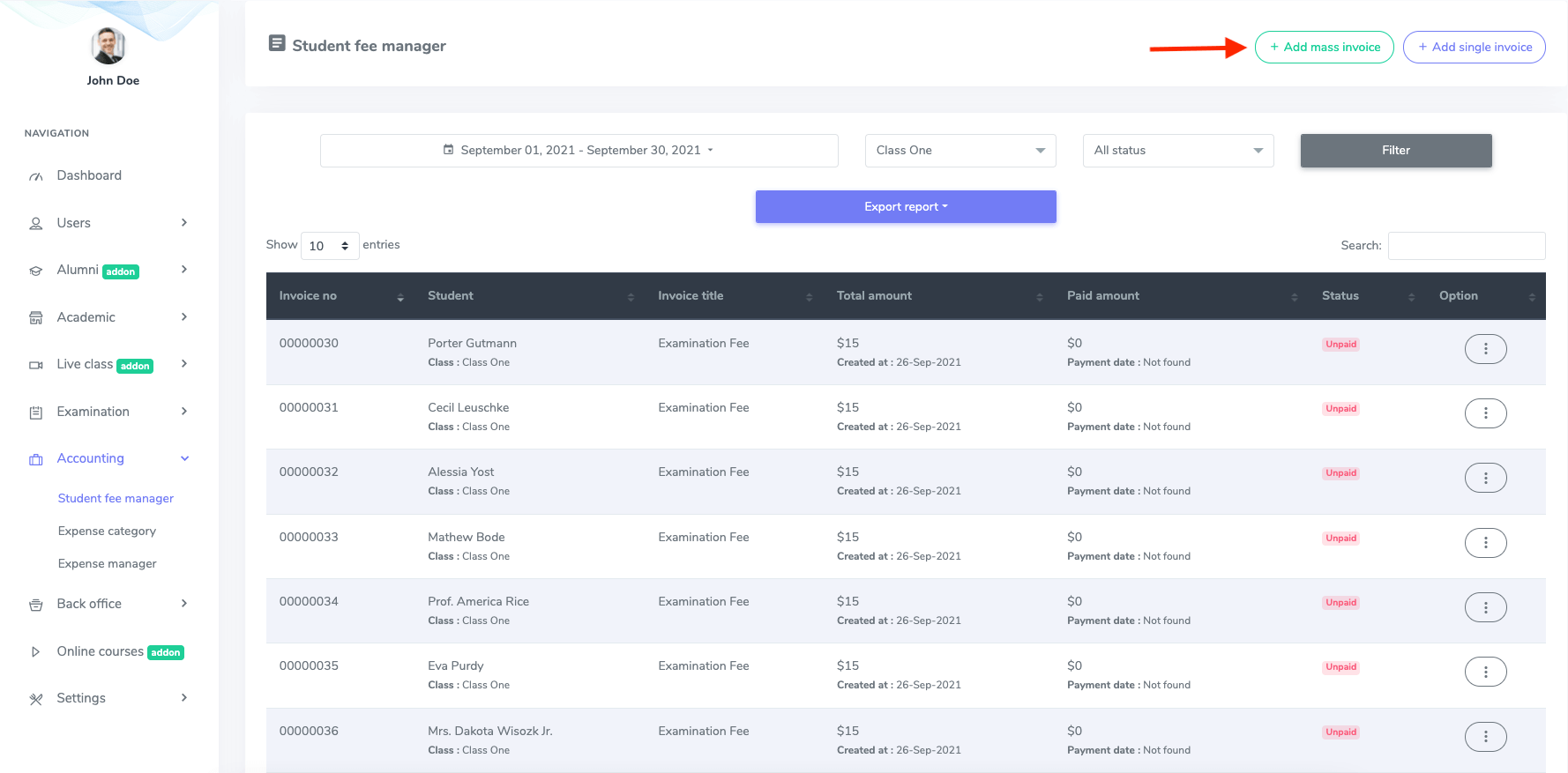
Figure 2. Ekattor ERP Adding Mass Invoice
After opening the new form, you have to provide:
- Class
- Section
- Invoice name
- Total amount
- Paid amount
- Paid status
After providing the information, click the "Create mass invoice" option to save your data.
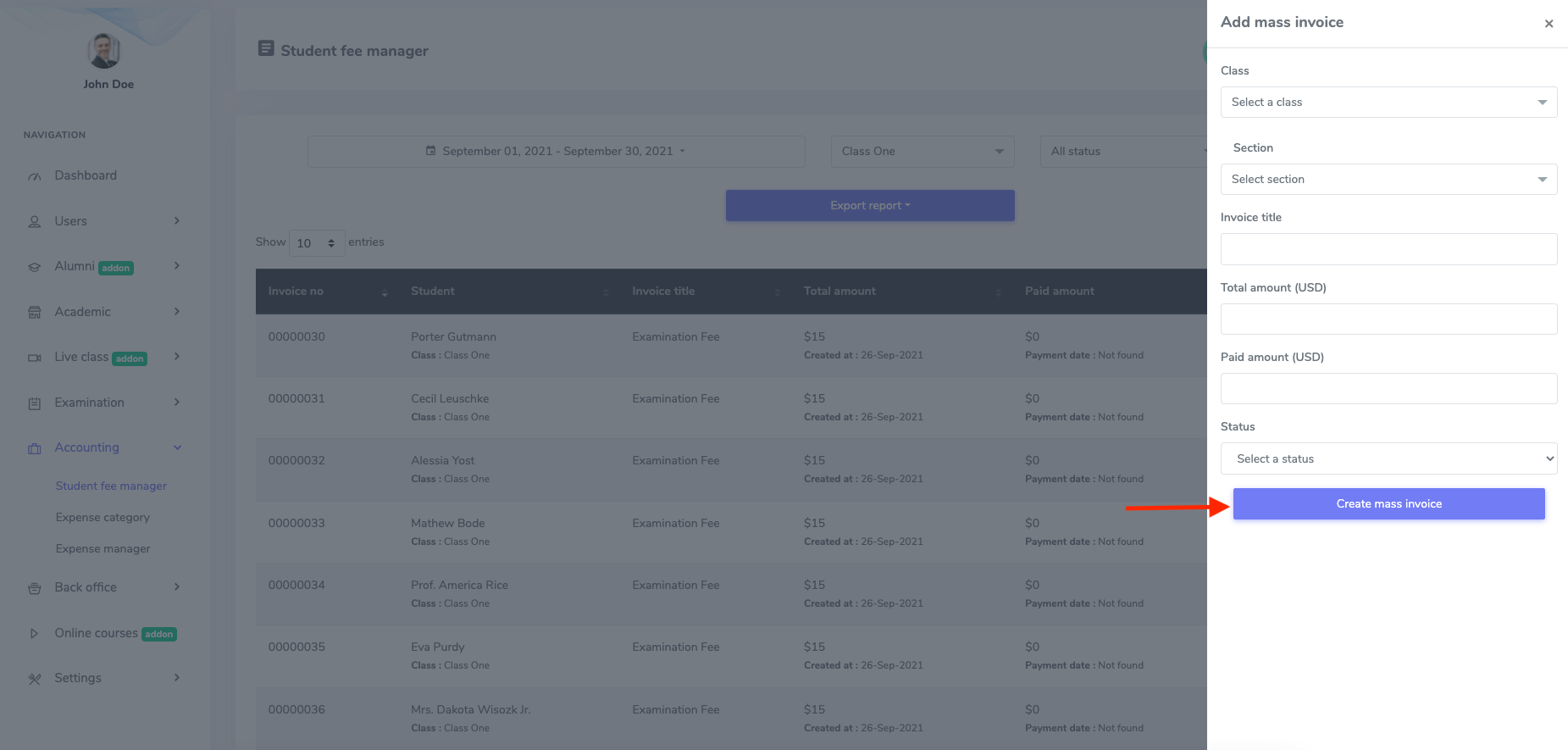
Figure 3. Ekattor ERP Saving Mass Invoice
Single invoice
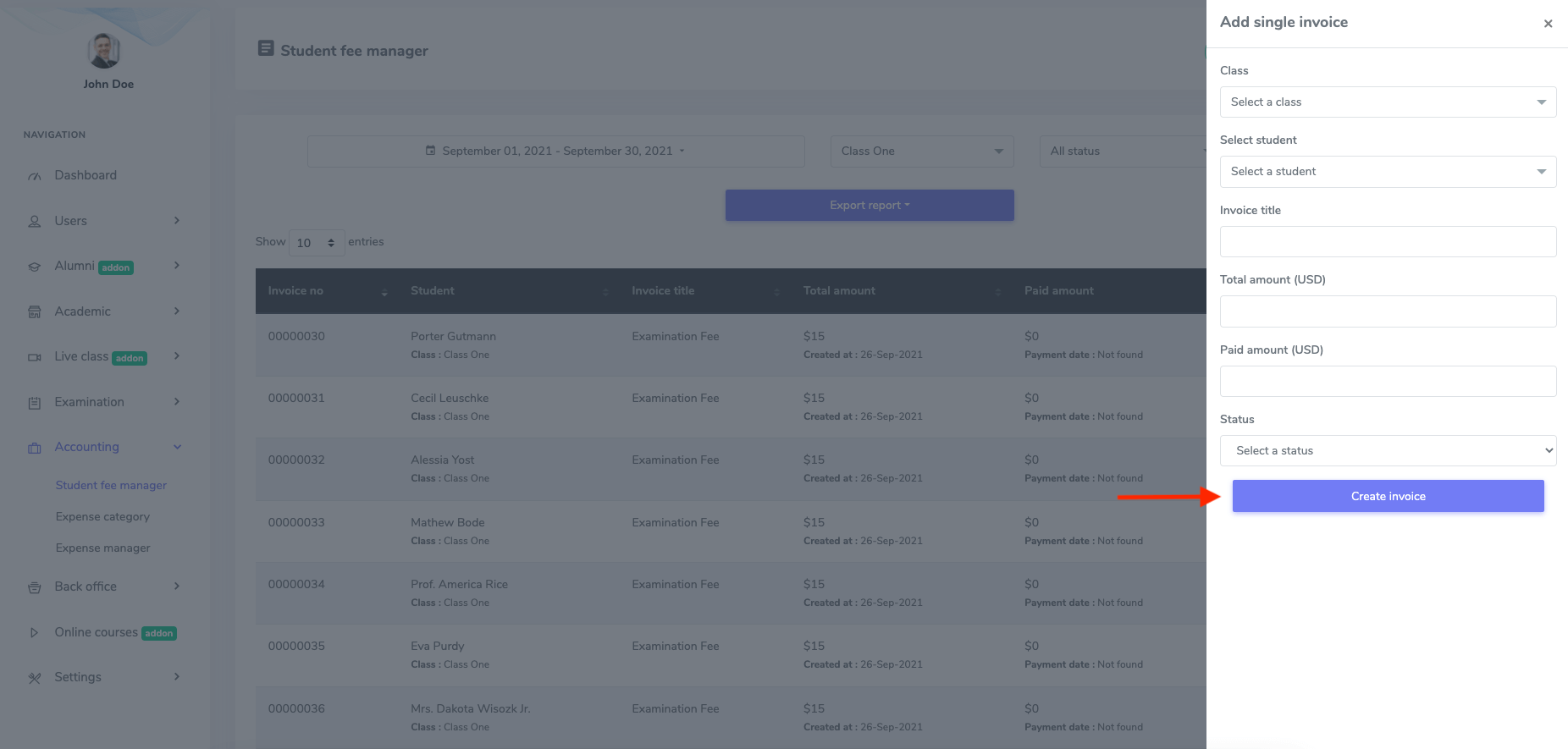
You also have the facility to make fees for a single student. For this, you have to click the "Add single invoice" option in the student fee manager.
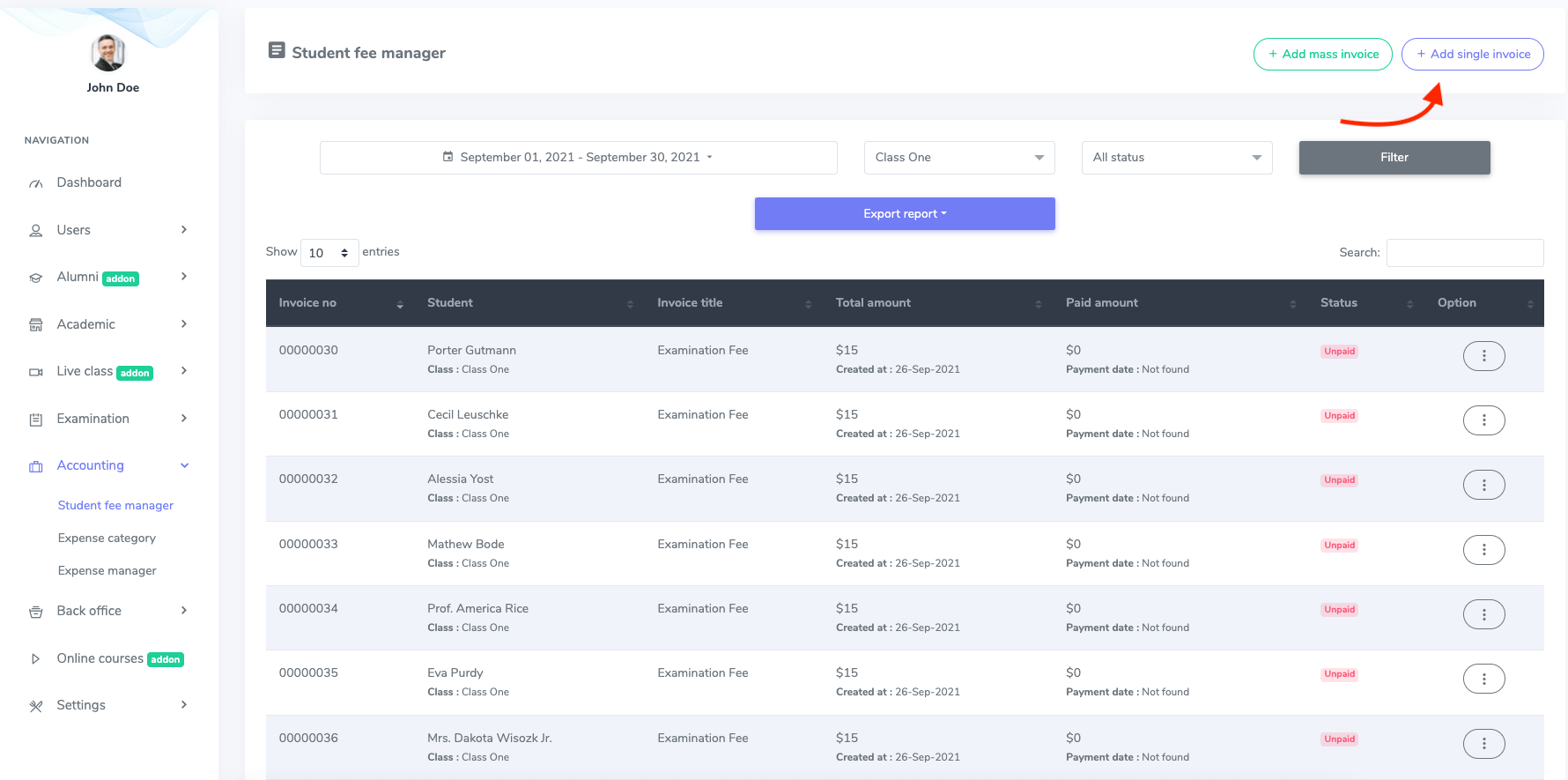
Figure 4. Ekattor ERP Adding Single Invoice
Now, you have to select:
- Class
- Student name
- Invoice name
- Total amount
- Paid amount
After that, click the "Create invoice" button to save your action.