# Teachers permission
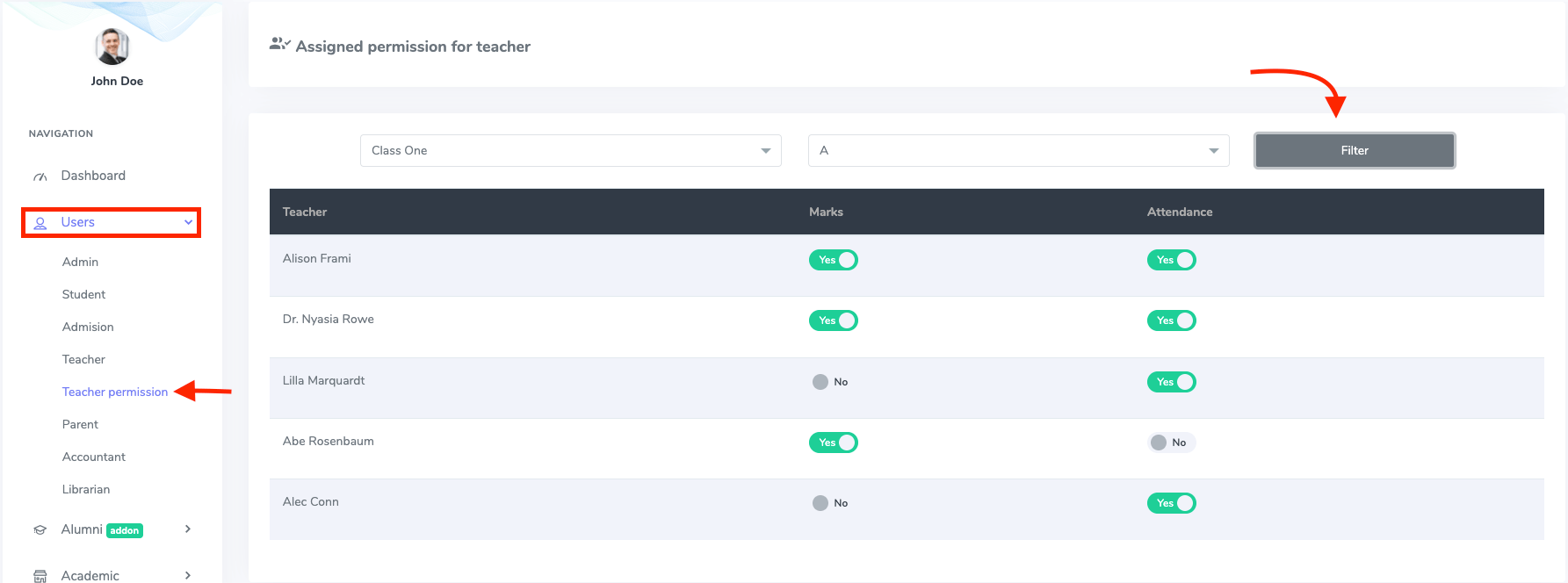
In this panel, superadmin and admin can control and monitor the teacher's permission. For this, you have to follow the steps below:
- Log in to the user panel.
- Select the "User" panel from the left menu.
- Choose the "Teacher permission" from the sub-menu.
- Filter the Class and section.
- Assign the permission by clicking the "Yes" and "No" buttons.