# How to pay academic fees
In Ekattor, as a parent and student, you have permission to pay the fees. Also, you can overview the invoice title, total amount, paid amount, transaction status, invoice creation date. You have to navigate:
- Log in to the user panel.
- Select the "Accounting" option from the left menu.
- Choose the "Student fee manager" option from the sub-menu.
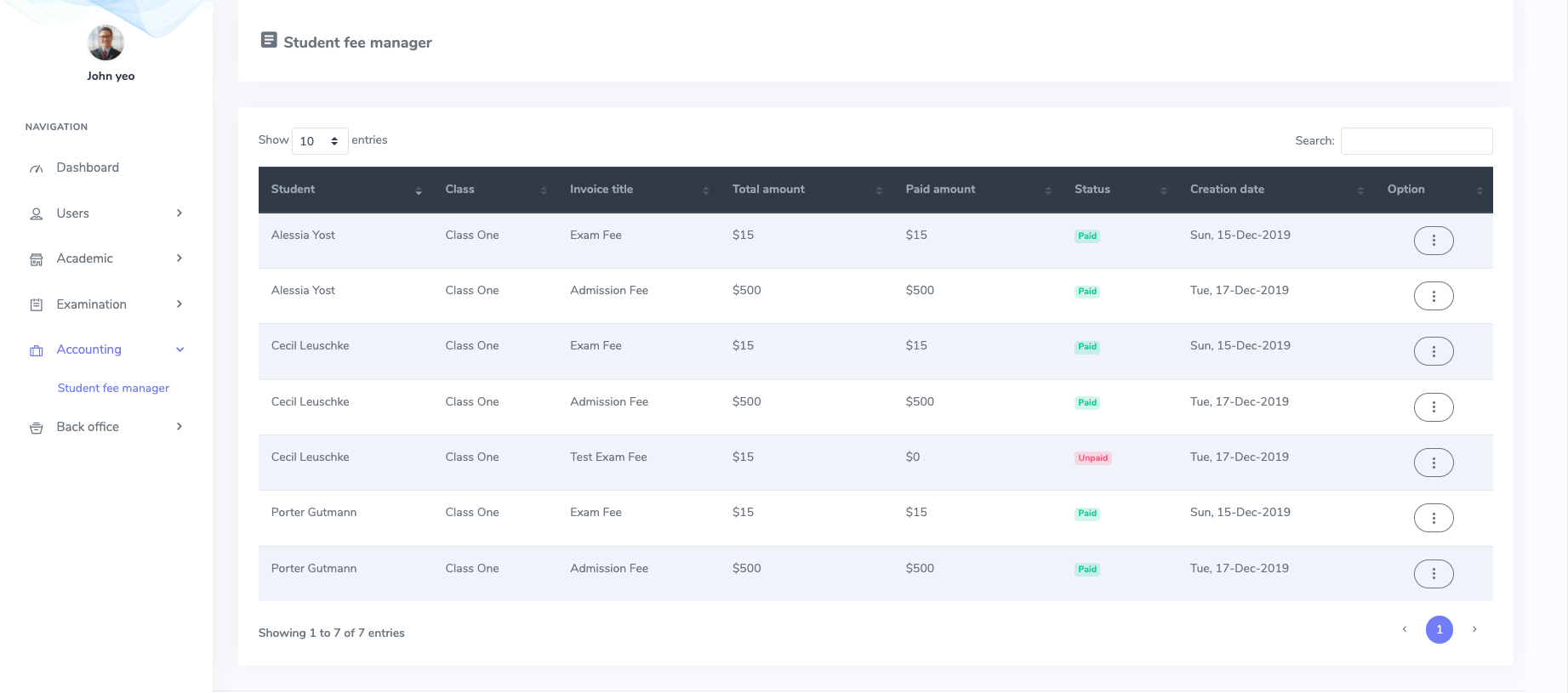
Figure 1. Ekattor ERP Student Fee Manager
Now, you can print an invoice for your transaction. For this, you have to select:
- The "Print invoice" button from the "Option."
- Click the "Print" option to get the invoice.
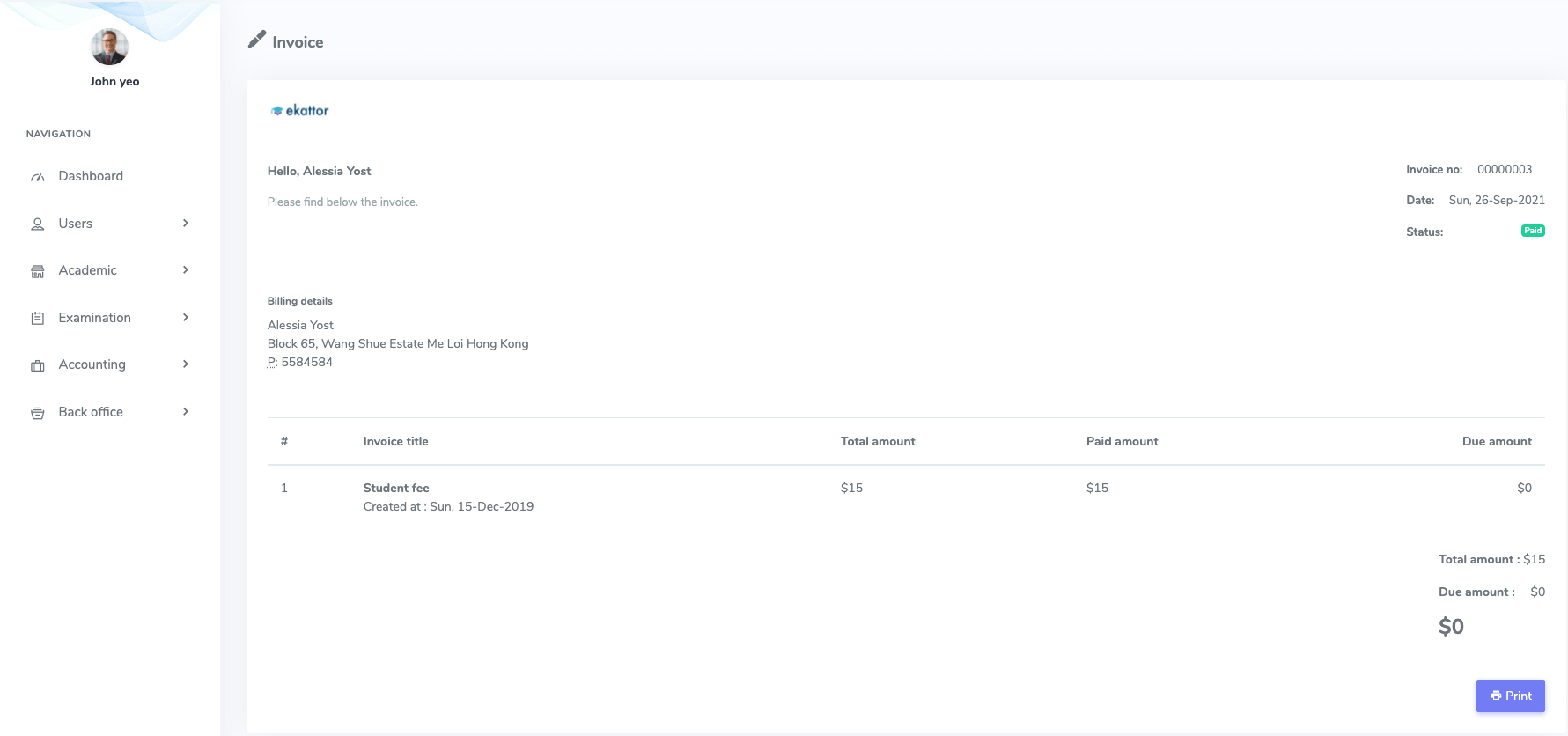
Figure 2. Ekattor ERP Invoice
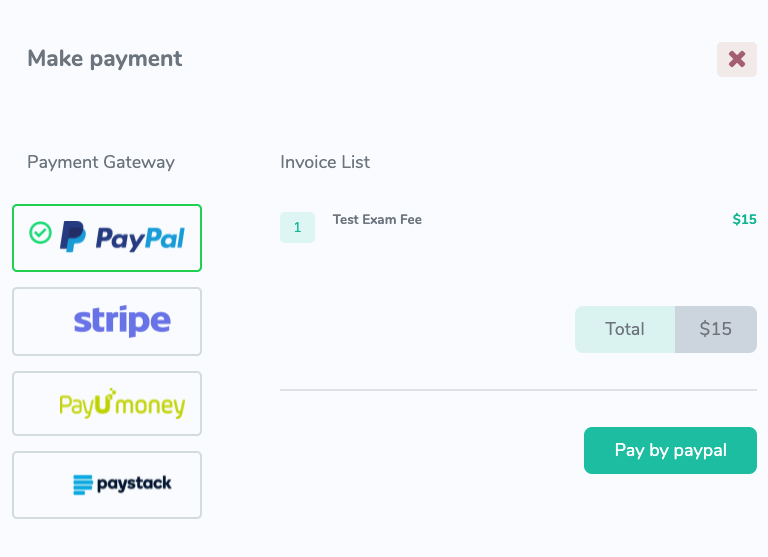
You can also pay your unpaid fees in this application online. To complete your fees, you have to follow the steps:
- Select an unpaid transaction.
- Choose the "Make payment" button from the "Option" button.
- Select a suitable payment gateway and complete the transaction.
- Provide the required account information of your payment gateway.