# Subject
The subject is an essential part of academic activities. Follow the steps to create, edit, monitor, and delete a subject to the application below:
- Log in to the user panel.
- Go to the "Academic" option from the left menu.
- Select the "Subject" option from the sub-menu.
To create a subject in the school, you have to click the "Add subject" button.
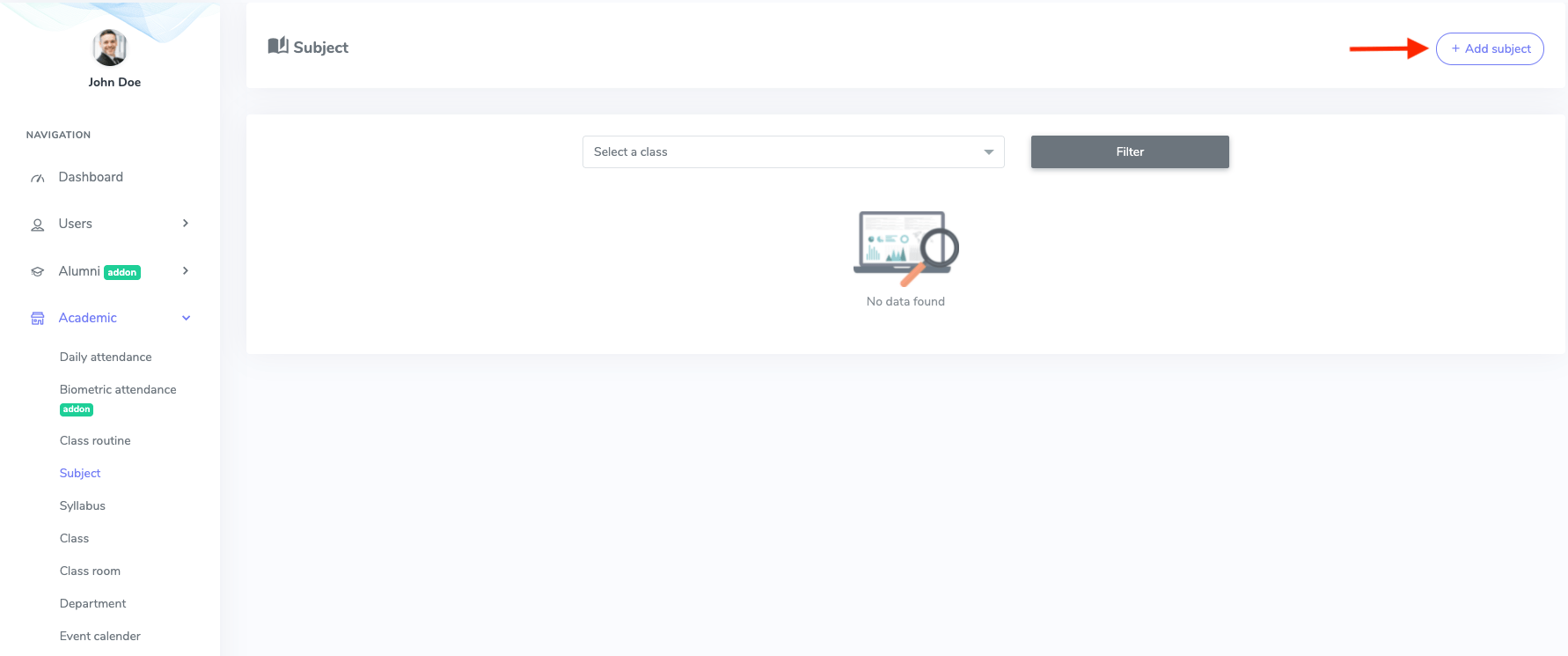
Figure 1. Ekattor ERP Adding Subject
Select a class and subject name in this new form and click the "Create subject" button to submit your order.
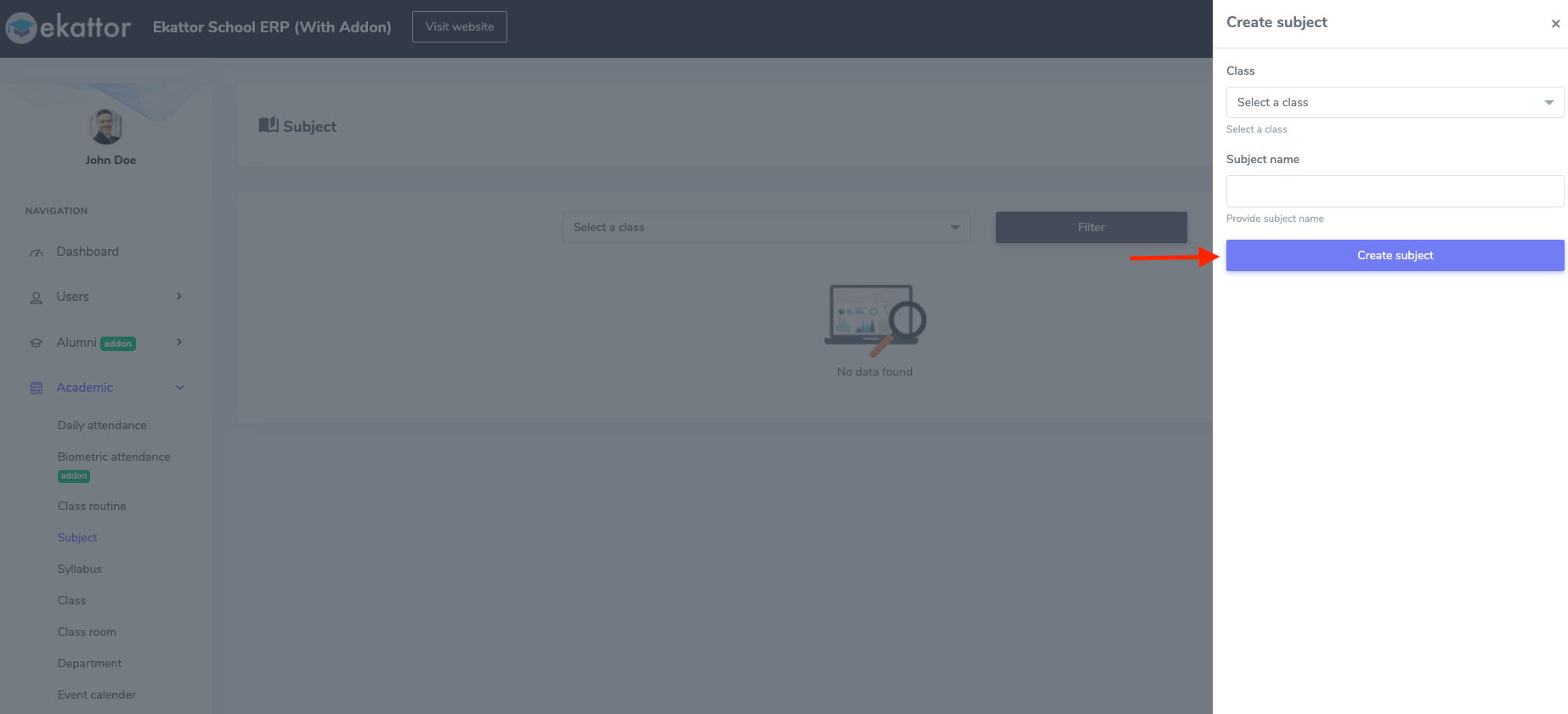
Figure 2. Ekattor ERP Saving New Subject's Information
To overview, edit, and delete a subject, you have to select a class and press the "Filter" button.
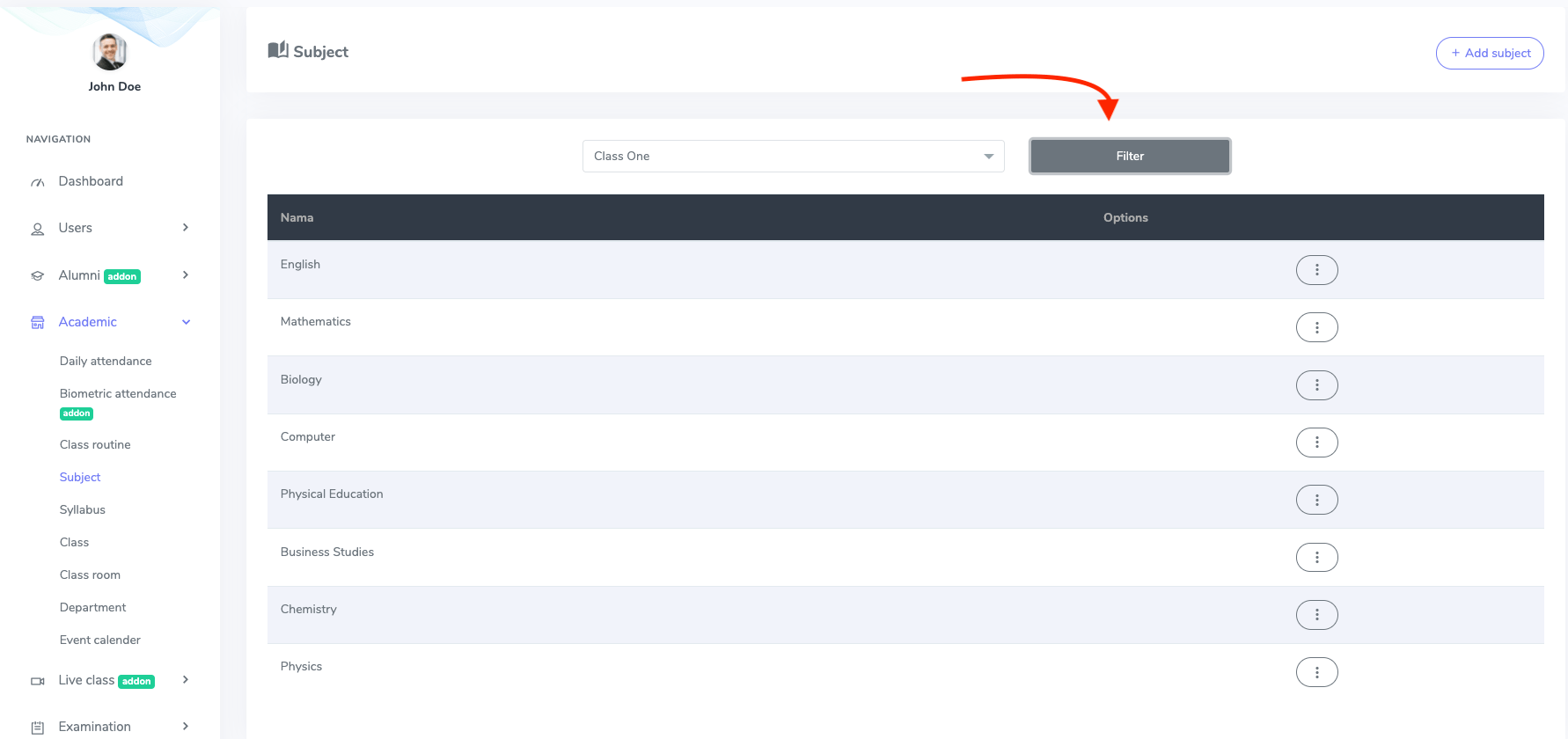
Figure 3. Ekattor ERP Filtering Subject
To update the subject, select the "Edit" button from "Option." Now, you can change the class and subject. To finalize your updated information, click on the "Update subject" option.
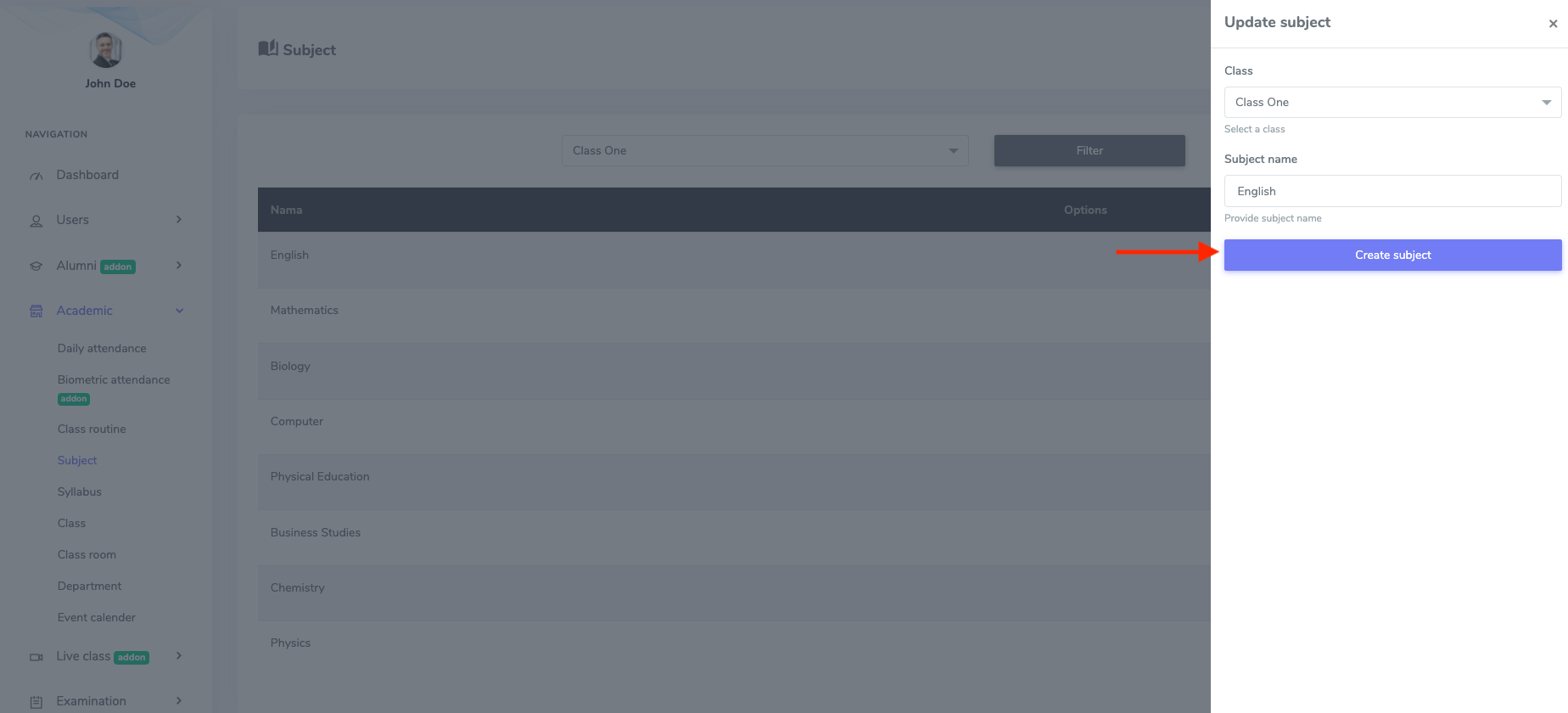
Figure 4. Ekattor ERP Updating Subject
To delete a subject from the application, you have to select the "Delete" button from the "Option" and click the "Continue" button to confirm your action.