# Syllabus
In this school management system, superadmin, admin, and teacher can manage a syllabus. For this, you have to navigate:
- Log in to the user panel.
- Go to the "Academic" option from the left menu.
- Select the "Syllabus" option from the sub-menu.
- Click on the "Add syllabus" button to add new syllabus
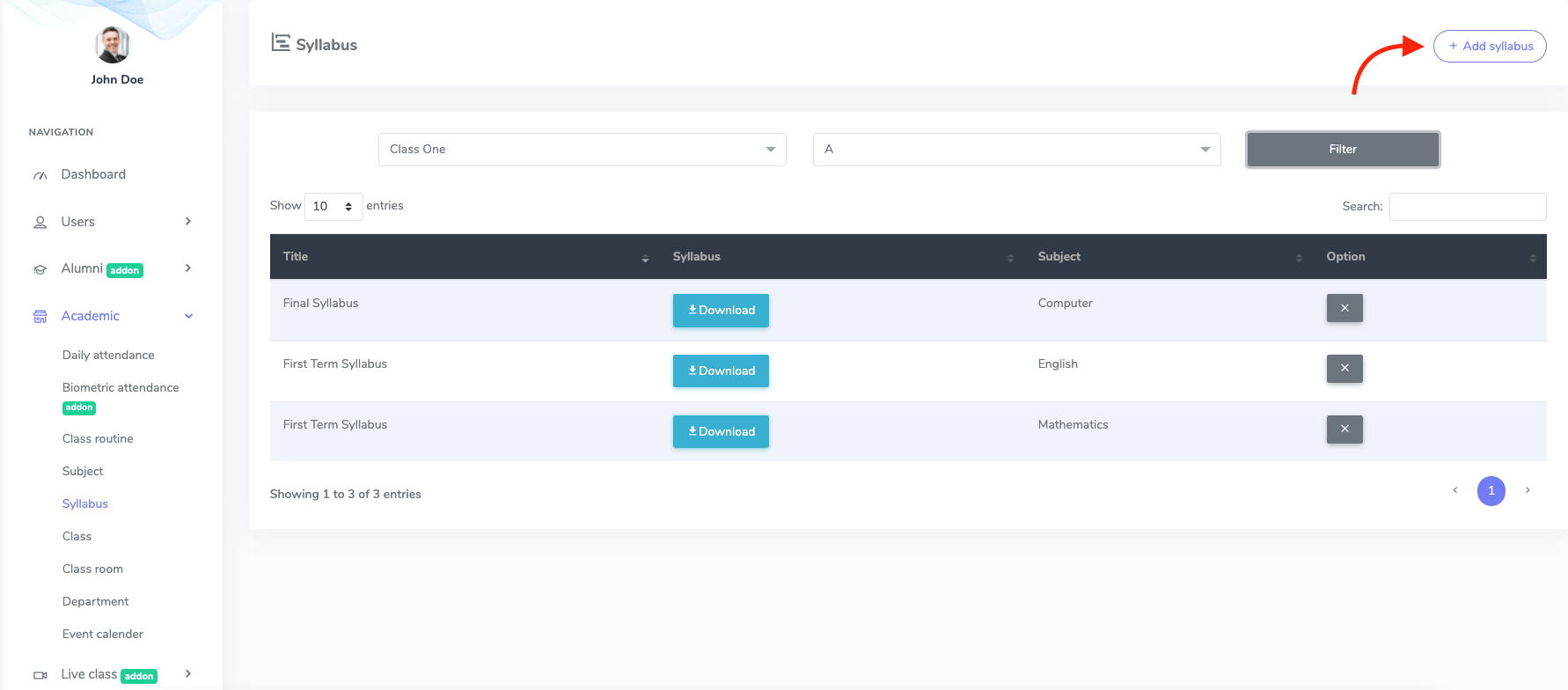
Figure 1. Ekattor ERP Adding New Syllabus
Now, to create a syllabus, you have to provide:
- Syllabus title
- Class
- Section
- Subject
- Upload the syllabus as a file
To save your data, select the "Create syllabus" button.
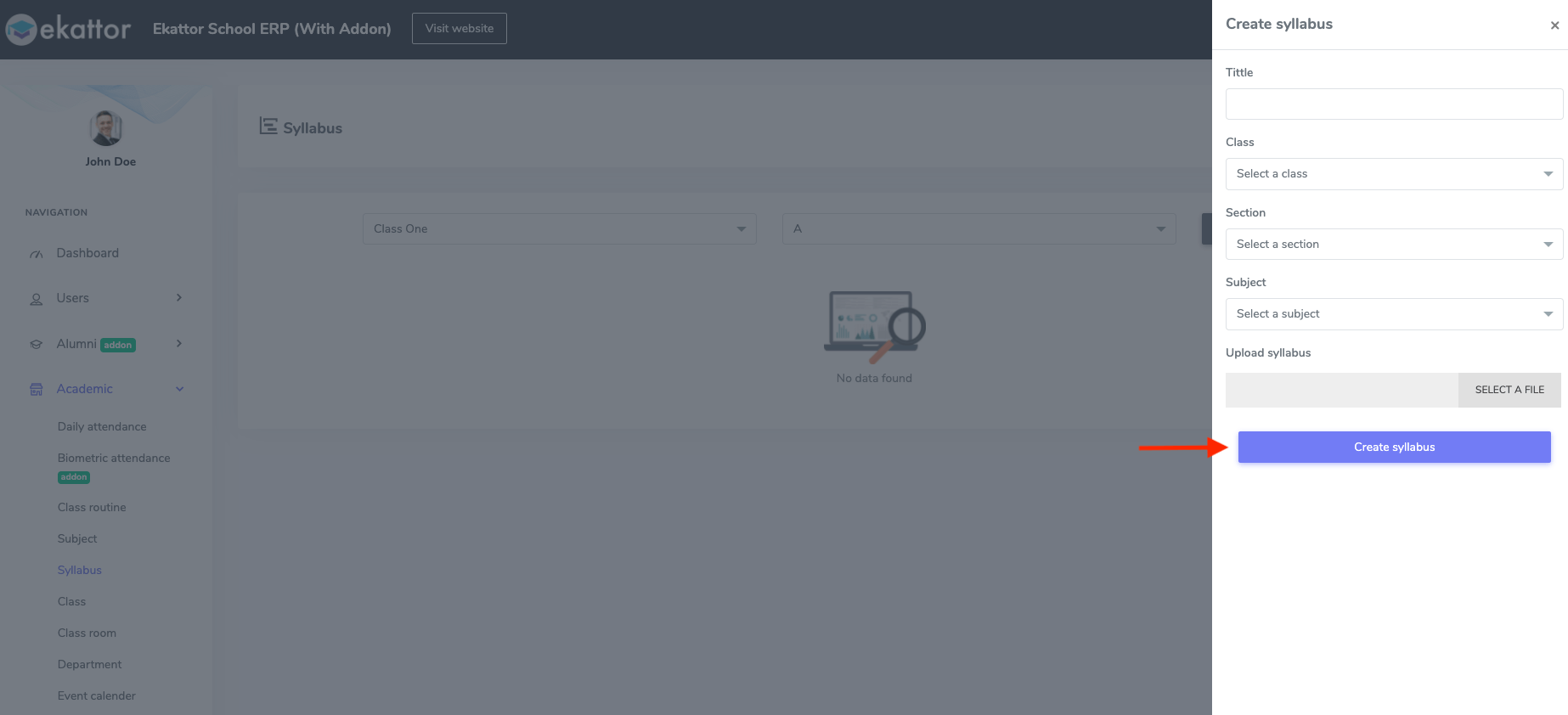
Figure 2. Ekattor ERP Saving New Syllabus
To overview, download, and delete, you have to open the syllabus form. Then select the class and section and click on the "Filter" option.
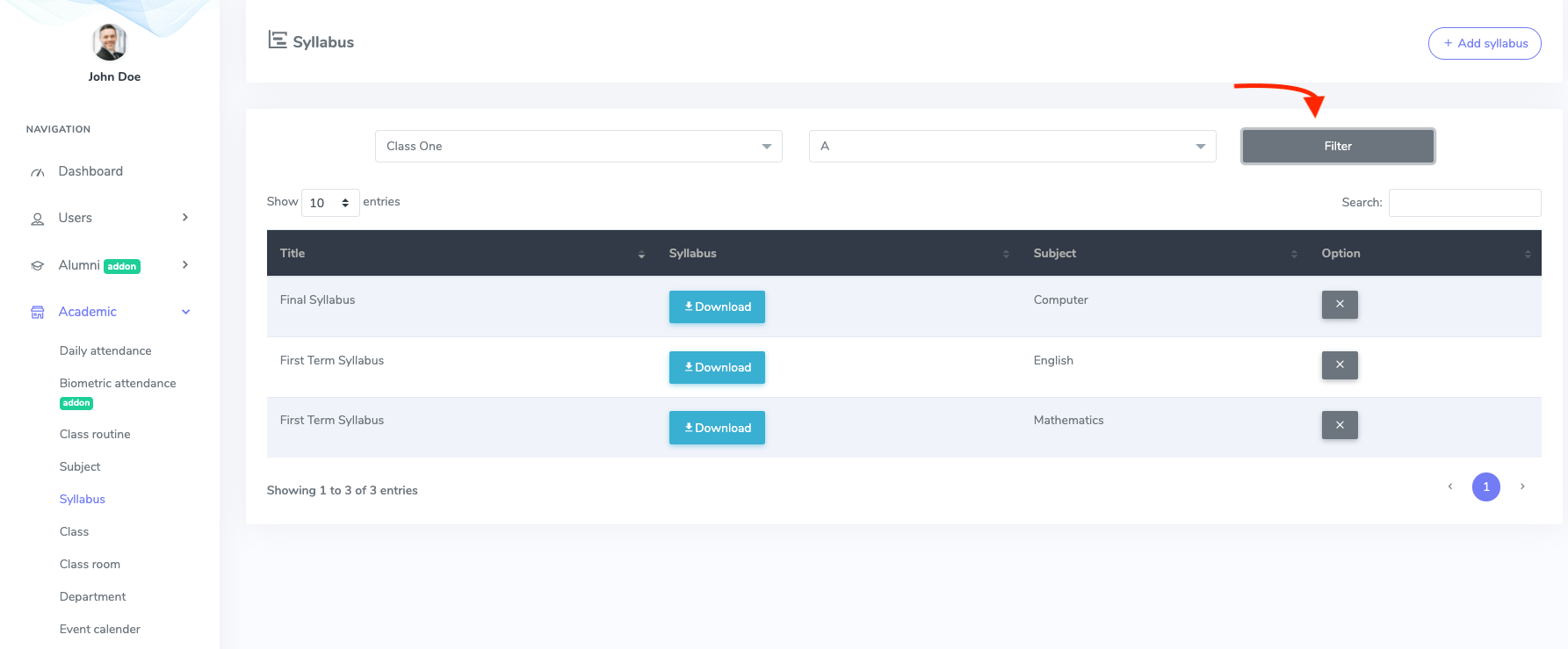
Figure 3. Ekattor ERP Filtering the Syllabus
Here you can overview the syllabus and click the "Download" button to download it to your device. Select "x" to delete the syllabus and choose the "Continue" button for confirmation.